


A CRM for service business is no longer just a tool for storing contact details. In 2026, it is the system that helps service teams capture leads faster, quote more accurately, schedule smarter, and protect margins in a cost-sensitive market. The strongest value case is financial. Poor lead handling, inconsistent pricing, and disconnected operations create measurable revenue leakage.
That matters because service businesses are growing under pressure. In one 2025 contractor survey, 76% said growth was the goal, 50% said increasing margins was a priority, and the biggest challenges were rising material prices, labor shortages, and higher labor or overhead costs. At the same time, 71% of homeowners postponed repairs or renovations in 2025, and 62% deferred critical maintenance.
Why a CRM for service business matters in 2026
Many service businesses do not lose revenue because demand is weak. They lose it in the gaps between inquiry, estimate, job scheduling, and follow-up. When customer data is spread across calls, spreadsheets, inboxes, and field notes, teams move slower and miss opportunities.
A CRM fixes that by creating one operating system for lead intake, customer history, quotes, scheduling, payments, and reporting. This becomes even more important when customers expect flexible communication, transparent pricing, real-time updates, and smoother service experiences.
One of the strongest data points here is speed to lead. The MIT and Lead Response Management study found that the odds of contacting a lead in 5 minutes versus 30 minutes drop 100 times, and the odds of qualifying that lead drop 21 times. That alone makes automation and routing a revenue issue, not just an admin improvement.
Capture every lead instantly before competitors even respond
Core benefits of a CRM for service business
The best CRM for service business improves both growth and operational control. It helps teams win more work while reducing waste across the service cycle.
This is especially useful in service categories where customer trust drives selection. The research shows that branding, clear pricing, and transparency matter in contractor choice. It also notes that women are the primary decision-makers in 65% of U.S. remodeling projects, which reinforces the need for clear communication and friction-free service journeys.
There is also a cost-control angle. Dispatch inefficiency has a real operating cost, and the 2026 IRS business mileage rate of 72.5 cents per mile gives a practical benchmark for why routing and field coordination matter.
Turn every job into measurable revenue and predictable profit
This blog is just the start.
Unlock the power of Convin’s AI with a live demo.

General CRM vs service-business platform
Not every CRM is built for field teams. Some tools are great for managing sales contacts, but they fall short when you need dispatch, job costing, price books, invoicing, and technician workflows.
This is why the real buying decision is often not “CRM or no CRM.” It is “general contact manager or service operations system.” For a very small business, a simpler CRM may be enough. For a growing team handling quotes, technicians, jobs, and follow-up at scale, the service-business model is usually the better fit.
Choose a system built for field teams, not just sales pipelines
What does a CRM for service business cost?
Sticker price is only part of the story. The real cost includes onboarding, extra users, payment processing, integrations, setup effort, and data migration.
A useful market anchor from the research is that CRM software in 2025 generally ranged from $10 to $300 per user per month, with enterprise tools often priced above that.
Hidden costs to compare carefully
A good buyer does not ask only, “What is the monthly subscription?” A better question is, “What is the total cost once my team, payment flow, setup, and future growth are included?”
Evaluate total cost, not just monthly subscription pricing
Setup steps that make adoption easier
CRM implementation fails when teams try to move everything at once. The smarter approach is phased, clean, and role-based.
This approach aligns with the research guidance that data should be cleaned before migration, saved in backup form, and moved in sections because migration mistakes are real.
Launch faster with a clean, phased CRM rollout plan
CRM for service business checklist before you buy
Before choosing a platform, use a decision checklist that focuses on operational payoff, not just feature volume.
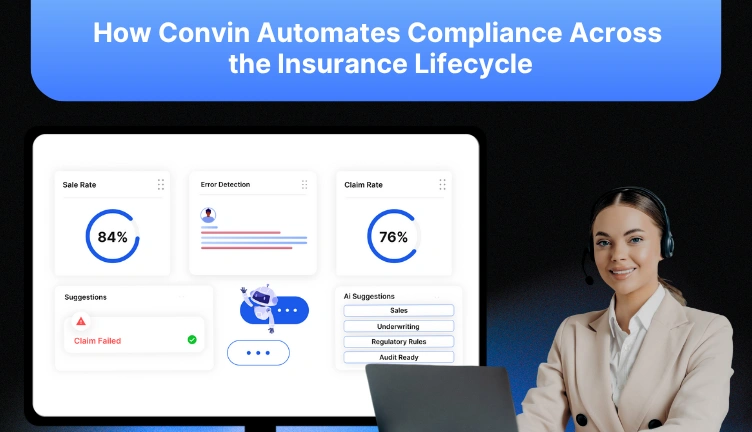
Before choosing a platform, use a decision checklist that focuses on operational payoff, not just feature volume.For teams that rely heavily on calls, chats, and customer conversations to book and manage service work, conversation intelligence can strengthen CRM performance. Convin is an AI-backed contact center platform that records, transcribes, and analyzes customer interactions across calls, chats, and emails. It helps teams improve agent performance, coaching, compliance, and customer experience. According to the shared material, Convin customers can see a 21% increase in sales, a 27% increase in CSAT, a 25% increase in retention rate, 100% compliance monitoring, and a 56-second reduction in average handle time.
The takeaway is simple. The best crm for service business is the one that protects revenue, improves response speed, standardizes pricing, and gives your team a cleaner path from first inquiry to completed job. In 2026, that is what separates a tool that stores contacts from a system that drives growth.
Use this checklist to pick a CRM that actually drives growth
FAQs
1. How long does it take to fully implement a CRM for service business?
Most CRM implementations take 2 to 6 weeks depending on team size, data readiness, and workflow complexity, with phased rollouts helping teams adopt faster without disrupting daily operations or service delivery.
2. Can a CRM replace dispatch software completely?
Some service CRMs include built-in dispatch features, but for highly complex routing, real-time optimization, and large-scale operations, dedicated dispatch tools may still be required alongside the CRM system.
3. How does CRM impact customer retention in service businesses?
A CRM improves follow-ups, communication, and service consistency, helping businesses deliver better customer experiences that increase repeat bookings, build trust, and strengthen long-term customer retention over time.
4. What integrations are most important in a service CRM?
Key integrations include accounting software, payment gateways, telephony systems, and sometimes marketing tools, as they reduce manual work, improve data accuracy, and create a more connected operational workflow.
5. How do you measure CRM ROI in service businesses?
CRM ROI is measured through improvements in response time, conversion rates, average job value, technician utilization, and repeat business, all of which directly impact revenue growth, efficiency, and profitability.


.avif)